
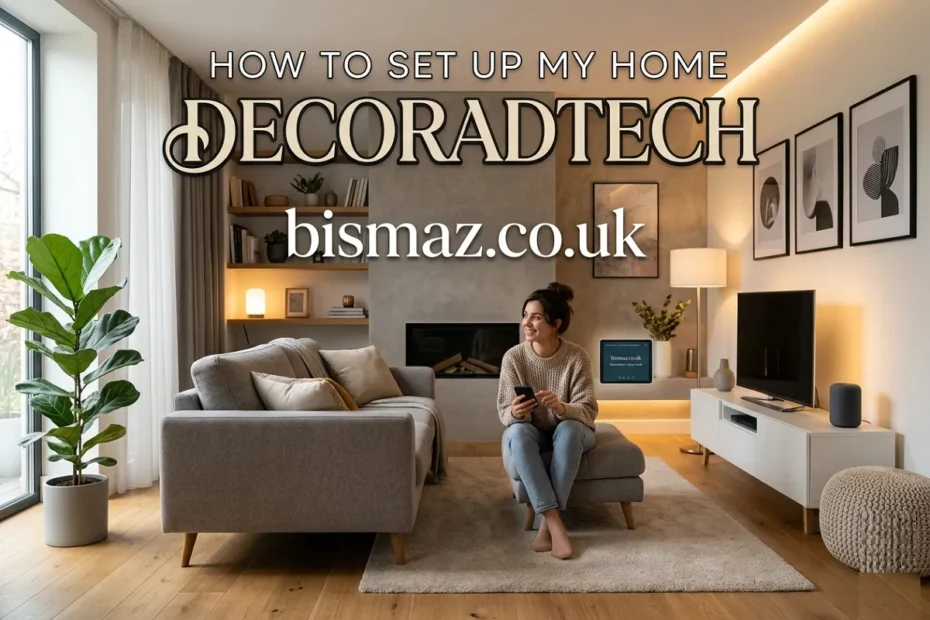
If you’ve searched “how to set up my home decoradtech,” you’re probably standing somewhere between two boxes, a smart bulb in one hand and a brass table lamp in the other, wondering how to make the technology disappear into the design. That’s exactly what decoradtech is: decor + tech, integrated so neither one shouts over the other. This guide walks you through the entire setup the way a working interior designer or smart-home integrator would actually do it in 2026, starting with the protocol you choose, not the product you buy. We’ll cover planning, the Matter standard, room-by-room device choices, cable discipline, and the small habits that keep the system reliable a year from now. By the end, you’ll have a setup plan you can execute in a weekend, and a buying framework you can use for the next five years.
What “Decoradtech” Actually Means
Decoradtech is shorthand for a home where smart technology is treated as a design element rather than an afterthought. A Sonos hidden inside a credenza is decoradtech. A black plastic security camera bolted next to a framed print is not.
The shift matters because the smart-home category has matured. In 2026, the Matter standard (governed by the Connectivity Standards Alliance) finally lets devices from Apple, Google, Amazon, Samsung, IKEA, Aqara, and Philips Hue communicate natively. That means you no longer have to choose ugly products just because they’re compatible; you can choose the prettiest product that wears the Matter badge.
A good decoradtech setup gives you four things at once: comfort, lower energy use, better security, and a room that still photographs well.
Step 1: Plan Before You Buy Anything
The biggest mistake I see in homes is that people buy first and plan second. They end up with three apps, two hubs, and a Wi-Fi network that drops the bedroom thermostat every Tuesday.
Spend an evening on this instead:
Audit your space room by room
Walk through each room and write down one job tech should do there. Living room: scene-based lighting and TV. Bedroom: wake routine and blackout blinds. Kitchen: voice timers and under-cabinet lighting. Entry: locks and package alerts. Resist the urge to put a screen in every room.
Check your Wi-Fi honestly
A smart home is only as stable as its network. If your router is more than four years old, or if any corner of the house drops signal, a mesh Wi-Fi system (Eero, TP-Link Deco, Netgear Orbi) is non-negotiable. Plan to put the main router in a central location, not behind the TV.
Set a real budget
A solid starter decoradtech setup, hub, four smart bulbs, two plugs, a thermostat, and a doorbell runs roughly $400–$700 in 2026. A whole-home setup with motorised shades, in-wall switches, and integrated speakers can climb to $5,000 or more. Decide your tier before you’re standing in the store.
Step 2: Pick One Ecosystem and Commit
This is the single most important decision in the entire project. Your ecosystem is the brain; every device you buy for the next five years will route through it.
The three main ecosystems in 2026
Apple Home suits households already on iPhone and iPad. It’s strongest in privacy (local processing on a HomePod or Apple TV) and has the cleanest interface, but the device catalogue is smaller.
Google Home is the most flexible for Android users and integrates deeply with YouTube, Nest cameras, and Google Assistant routines. Its 2025 redesign closed most of the reliability gap it had.
Amazon Alexa has the widest device support and the cheapest entry points; an Echo Pop is under $40, and the Echo Hub and newer Echo devices double as Matter controllers and Thread border routers.
Why Matter changes the math
You no longer have to pick one ecosystem forever. A Matter-certified device can be paired with all three ecosystems simultaneously. So the practical advice in 2026 is: pick the ecosystem that matches the phone in your pocket, but buy only Matter-certified devices going forward. That way, if you switch later, your hardware moves with you.
When you’re shopping, look for two logos on the box: the Matter logo (the four-arrowed star) and, for low-power sensors and locks, the Thread logo. Thread is the wireless mesh that makes battery-powered Matter devices fast and reliable.
Step 3: Start With Lighting, It’s the Highest-Impact Layer
Ask any interior designer what changes a room fastest, and they’ll say lighting. The same is true in decoradtech. Lighting is where you’ll feel the upgrade within minutes.
The three-layer lighting rule
Every well-designed room uses three layers of light, and your smart setup should respect them:
- Ambient – the general wash of light. Smart bulbs in ceiling fixtures, or in-wall smart dimmers controlling existing fixtures.
- Task – focused light for reading, cooking, or working. Under-cabinet LED strips, desk lamps on smart plugs.
- Accent – the layer that makes a room feel intentional. Wall sconces, picture lights, and LED strips behind a TV or headboard.
A good rule of thumb: replace bulbs in fixtures you already love, rather than buying new lamps just because they’re “smart.”
Good 2026 options
- Philips Hue White and Colour Ambience (~$50), the gold standard, especially if you already own the Hue Bridge.
- Nanoleaf Essentials A19 (~$20), Matter-over-Thread, no bridge required, and it strengthens your Thread mesh.
- IKEA TRÅDFRI (~$8), the budget pick for whole-home rollouts; Matter via the IKEA Dirigera hub.
- Lutron Caséta dimmers, if you want to keep the fixtures and just upgrade the switch.
Set the colour temperature to shift from 4,000K daylight in the morning to 2,200K candle-warm at night. This single automation does more for how a home feels than any other.
Step 4: Add Climate, Security, and Convenience Layers
Once lighting is stable, build outward in this order; it’s the order that gives you the most return per dollar.
Climate
A smart thermostat (Ecobee, Nest, or the newer Aqara models) pays for itself in 12–18 months on energy savings alone. If your home has uneven temperatures, add a couple of Matter-over-Thread temperature sensors in the rooms that misbehave so the thermostat averages real readings, not just the hallway.
Security
Start with a smart doorbell and one good smart lock. The Aqara, Yale, and Schlage Encode Matter-certified locks all support Apple Home Key, which lets you unlock with a tap of your phone or watch. For cameras, prioritise models with local storage and an on-device privacy shutter; the Aqara G5 Pro and the latest Eufy cameras both qualify in 2026.
Convenience
Smart plugs are the most underrated decoradtech device. A $15 plug turns any lamp, fan, or coffee maker into part of your routines. Buy three or four, you’ll find uses for them.
Step 5: Hide the Wires and Respect the Decor
This is what separates a decoradtech home from a tech bro’s living room. The interior-design world uses a loose 70/20/10 ratio: 70% base furniture and decor, 20% accent pieces, and 10% (or less) visible technology. If your gadgets exceed that 10%, the room reads as cluttered.
A few practical tactics:
- If you own the home, run TV and speaker cables through the wall with an in-wall power kit. It’s about a $40 part and an hour of work.
- If you rent, paintable cord raceways stick to the wall and disappear once painted to match.
- Group your router, modem, and hub on a single ventilated shelf, and consider replacing the black plastic router with a mesh node that looks like a small ceramic object.
- Devices that are beautiful, such as a Samsung Frame TV in art mode, a Bang & Olufsen speaker, and a Lutron Pico remote on a brass wall plate, should be displayed rather than hidden.
Step 6: Build Automations Slowly
The temptation, once everything connects, is to automate fifty things at once. Don’t. Build two or three routines, live with them for a week, then add more.
A reliable starter set:
- Good Morning — lights ramp to 40% warm white over five minutes, thermostat shifts to daytime, kitchen smart plug starts the kettle.
- Movie Time — living room dims to 15%, TV turns on, accent lights go amber.
- Goodnight — all lights off, doors confirmed locked, thermostat drops 2°F.
Automations should solve problems you actually have, not put on a smart-home theatre show for guests.
Step 7: Maintain It Like You’d Maintain a Car
Smart homes degrade quietly. A firmware update fails, a sensor’s battery dies, a Wi-Fi password changes, and suddenly nothing works. Set a recurring 30-minute reminder on the first Sunday of each quarter to:
- Check for firmware updates on every device.
- Replace sensor batteries (most CR2032s last 12–18 months).
- Reboot the router and hubs.
- Review your automations and delete any you’re not actually using.
A maintained smart home stays invisible. A neglected one becomes a part-time job.
FAQ: How to Set Up My Home Decoradtech
How much does it cost to set up a basic decoradtech home?
A useful starter setup, Matter hub, four smart bulbs, two smart plugs, one thermostat, and a video doorbell, costs roughly $400 to $700 in 2026. You can expand on that as you identify specific use cases.
Do I need professional installation?
For 90% of homes, the answer is no. Bulbs, plugs, sensors, and most thermostats are genuinely DIY. Hire a professional electrician for hardwired in-wall switches, motorised window shades, and any structured wiring inside finished walls.
Will Matter-certified devices work with all ecosystems?
Yes, that’s the entire point of Matter. A Matter-certified device can be paired with Apple Home, Google Home, Amazon Alexa, and Samsung SmartThings simultaneously and controlled from any of them.
What if my existing smart devices aren’t Matter-compatible?
You have two options. Check the manufacturer’s website; many older Philips Hue, Eve, and Aqara devices got Matter support through firmware updates. If not, a Matter Bridge (such as the Aqara M200 or Hue Bridge) can convert your existing Zigbee or proprietary devices to Matter without replacing them.
Will a smart home still work if my internet goes down?
With Matter, most local automations (lights, plugs, locks, sensors) keep working because they communicate over your local network rather than the cloud. Remote control and voice assistants typically don’t work offline, but the house itself stays functional.
Is smart-home tech a privacy risk?
It can be, but you have real control. Choose devices with local processing and storage (cameras with on-device AI, hubs like Home Assistant or Apple HomePod), keep firmware up to date, and disable cloud features you don’t need. Matter’s local-control architecture is a meaningful privacy improvement over older smart-home standards.
Final Words
The best decoradtech homes I’ve seen weren’t the ones with the most devices. They were the ones where the owner could walk a guest through the living room and the guest didn’t notice the technology at all, just that the light was good, the music started when they sat down, and the room felt finished. That’s the goal. Start small, choose Matter, respect your decor, and let the system earn its place one room at a time.
For any suggestions or changes, please contact us.